
Menu
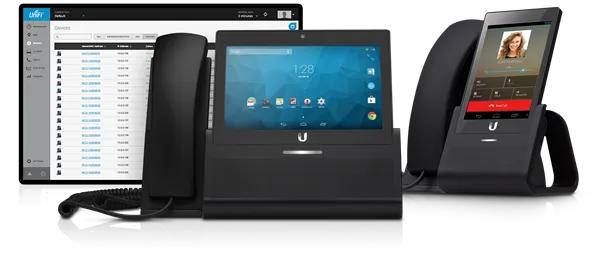
Moving offices is a good time to check how calls reach your team. Compare user counts, desk phones, mobile apps, reception and after-hours routing before choosing a plan. Ask which features and devices are included in the quoted business telephone systems.
An auto attendant offers a greeting and menu that can route callers to the right person. Plan the business-hours menu, after-hours message and a helpful fallback when nobody answers. For small office telephone systems, keep the menu short and confirm how changes are made.
Call transfer sends a caller to a colleague; call parking lets someone retrieve the call from another supported device. Ask about both when comparing business phone providers, and have the chosen workflow demonstrated before the move.
If staff or customers join group calls, ask about participant limits, dial-in access and any additional charges. These details help you compare small office phone systems without paying for features your team will not use.
Unified Communications as a Service (UCaaS) can combine calling, meetings and messaging. Compare the tools included in each quoted plan, supported devices, integrations and administrator controls. Features and licensing vary by provider.
Contact Center features can help teams organize customer interactions across calling and other supported channels. Tell us your staffing, queue, reporting and integration needs so the quote reflects the actual workflow.
For a busy help desk or sales team, discuss queues, agent groups and supervisor reporting. Call Center options vary by plan and may require extra licenses. Review recording, access controls and retention settings with the selected provider before enabling them.
Tell us if you use payment terminals, fax equipment or other devices connected to an existing phone line. For retail operations and service businesses, confirm compatibility with the device supplier and selected provider before switching. Do not assume a new phone plan automatically supports every existing device or payment workflow.

MyTGroup.net is operated by Briva Alarm & Voice, LLC. Our team helps commercial customers compare phone lines for business, hosted VoIP and related internet requirements. Briva Voice is one option to include in your comparison.
Phone service options to discuss include Briva Voice, Nextiva, Vonage Business, 8x8, RingCentral and AT&T Business voice. Features, equipment, number transfers and pricing vary by provider and plan. Read our business VoIP planning guide for questions to bring to your quote request.
Already using RingCentral, or planning a new office phone system? Explore our Dallas RingCentral installation and support for DFW site surveys, office moves, administration and troubleshooting.
Planning a new location or updating an existing account? Our Dallas Nextiva installation and support covers DFW surveys, phone setup, administrator help and local troubleshooting.
Compare local help for Vonage Business phone installation, 8x8 business phone setup, Broadvoice installation and support, Ubiquiti UniFi phone installation and Avaya phone installation and repair. Each page explains the survey, supported equipment, administrator help and local work for Dallas–Fort Worth businesses.
Share your business address and services needed. The Briva Alarm & Voice, LLC team will follow up for your move date, user count and numbers to keep.
Your phone service should support the people answering calls at your new location. Through MyTGroup.net, Briva Alarm & Voice, LLC helps compare suitable business phone options, including Briva Voice, Nextiva, Vonage, 8x8, RingCentral and AT&T Business. Available features, equipment, pricing and number transfers depend on the selected provider and plan.
For a small business phone system quote, we review user counts, desk phones, mobile calling and the way calls should reach your team. Tell us whether you want to keep existing numbers or add new ones. Available features, number transfers, hardware and contract terms are confirmed for the provider and plan you choose.
Explore related services: Internet for your new business address · DFW office technology installation.
Get quotes for multiple services


